
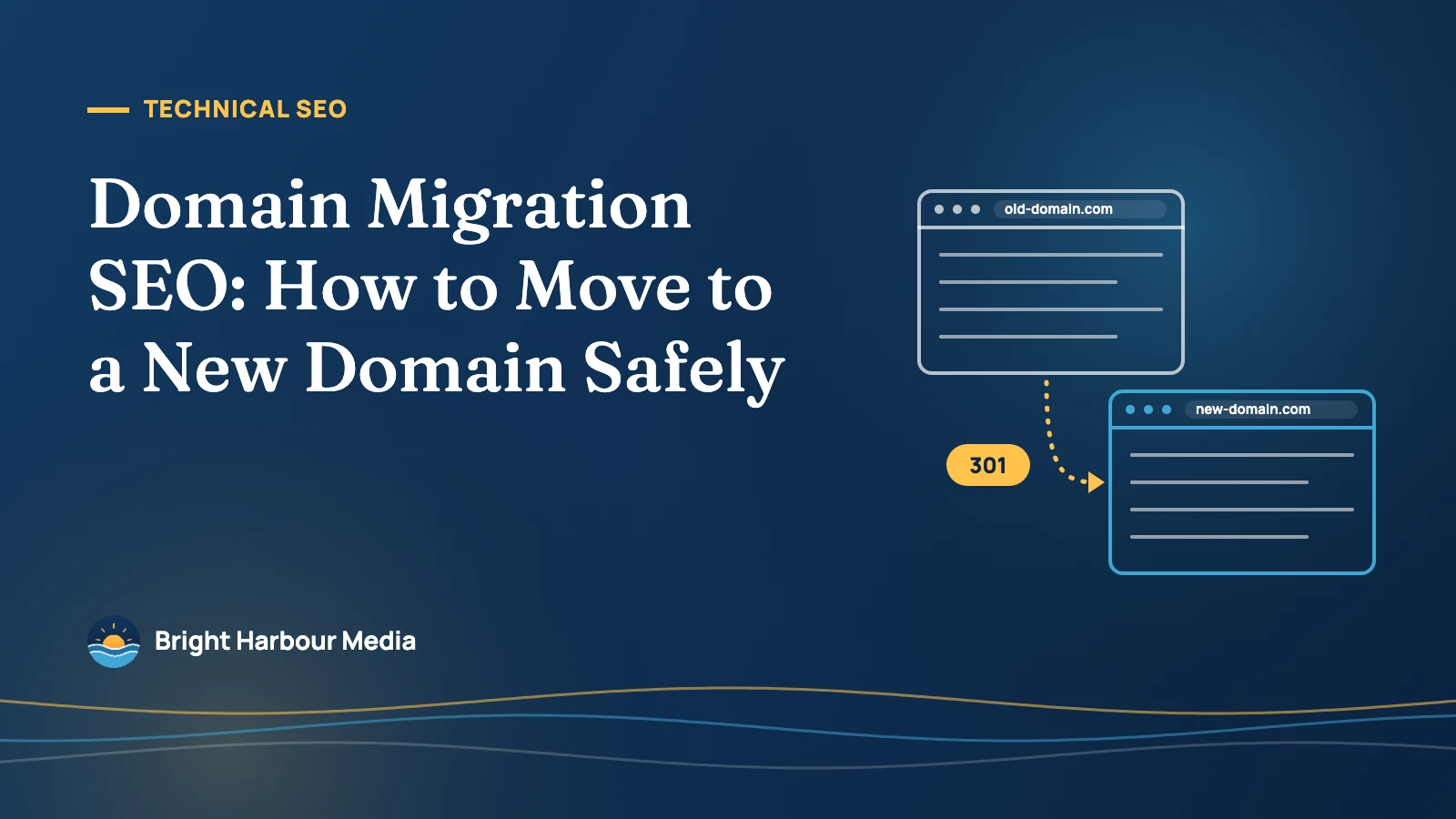
A domain migration is moving a website from one domain name to another, for example from example.com to example.net, while keeping its search visibility. Done well, it means every old URL permanently redirects to its exact new equivalent, Google is told about the move through Search Console’s Change of Address tool, and the redirects stay in place for at least a year.
Key takeaways
- Google says a medium-sized site can take a few weeks or more for the new URLs to replace the old ones in Search, and larger sites take longer.
- The Change of Address tool’s effects last 180 days; keep redirects for at least that long, and Google’s site-move guide says generally at least 1 year.
- Use server-side permanent redirects (301 or 308). Google says they don’t cause a loss in PageRank.
- Googlebot follows up to 10 redirect hops, but Google advises redirecting straight to the final URL, ideally with no more than 3 hops.
- Submit Change of Address for every verified variant of the old domain (www, non-www and subdomains), even ones you don’t use.
What counts as a domain migration?
Google’s documentation, “How to move a site” (last updated August 20, 2026), covers three kinds of URL change: HTTP to HTTPS, domain name changes (including merging domains or hostnames), and changes to URL paths. This guide focuses on the second kind, a change of domain or subdomain, because it is the only one that uses the Change of Address tool and the one with the most to lose.
If your URLs aren’t changing at all, for example you are only switching hosting or CDN, you aren’t doing a migration in this sense. And if you are also redesigning, read our technical SEO checklist before a redesign. Google’s advice is to change one thing at a time: move the domain first, then change the layout.
| Type of move | Example | Use Change of Address? | What to do |
|---|---|---|---|
| Domain change | example.com → example.net | Yes, for every old variant | Redirects, then the tool on each old property |
| Subdomain to subdomain | a.example.com → b.example.com | Yes | Redirects, then the tool |
| Domain to a folder on another domain | example.com → example3.com/new/location/ | Yes (allowed) | Redirects, then the tool |
| HTTP to HTTPS | http:// → https:// | No | Redirects; Google works it out |
| www to non-www, same domain | www.example.com → example.com | No | Canonical tags and/or redirects |
| Path changes inside one site | /oldpath/ → /newpath/ | No | Redirects and updated sitemaps |
| New host or CDN, same URLs | No visible URL change | No | Follow Google’s “no URL changes” guide |
How long does a domain migration take in Google?
There is no fixed date when a move is “done”. Google says the move happens on a per-URL basis, and to consider it complete Googlebot has to visit every URL on the old and new site at least once. Speed depends mostly on how many URLs you have and how fast your server responds.
In practice, Google gives three anchors: a few weeks or more for medium-sized sites to start showing new URLs, 180 days of Change of Address effects, and redirects kept generally for at least a year. The timeline below puts them in order.
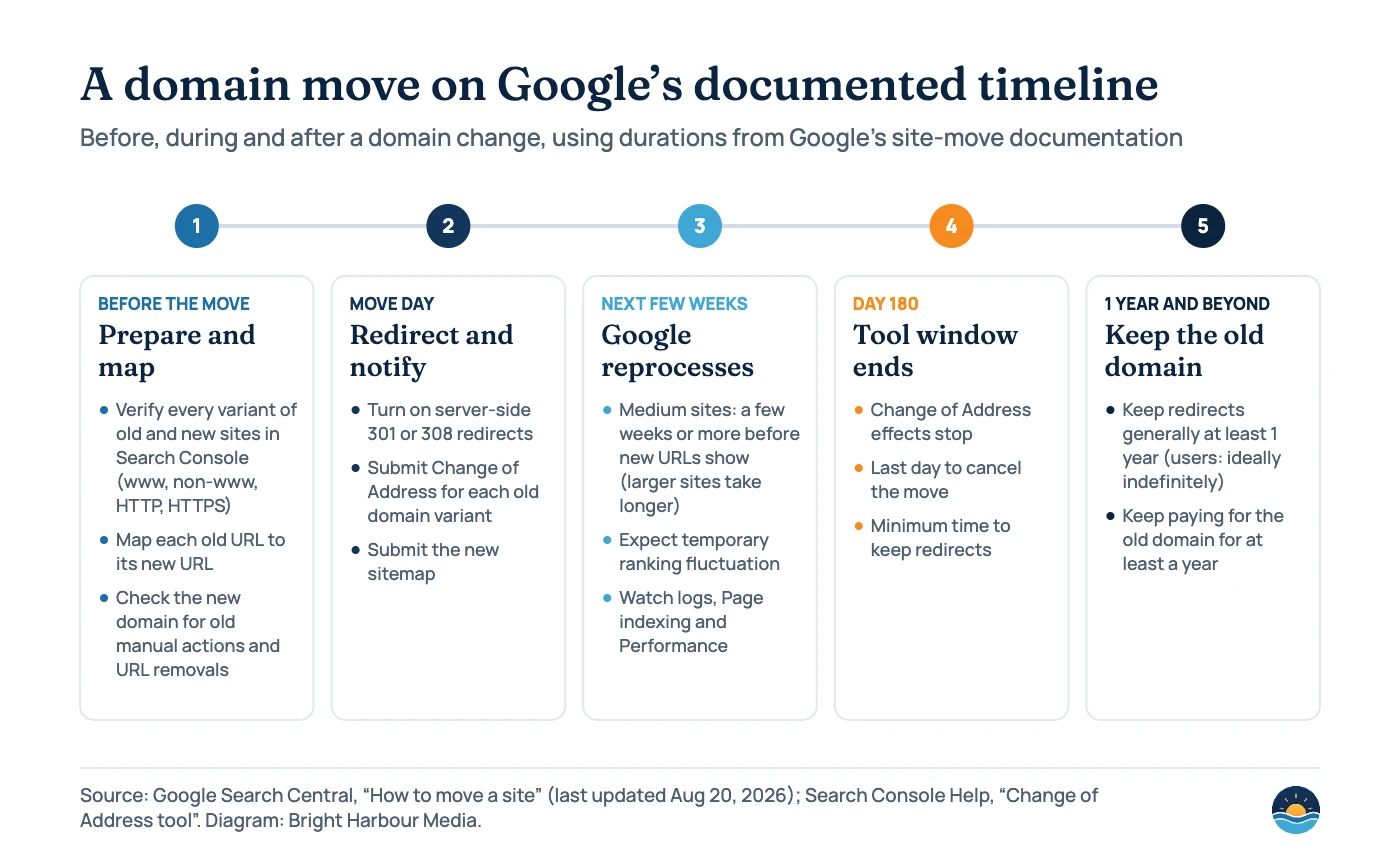
Expect rankings to wobble during this period. Google calls temporary fluctuation normal while it recrawls and reindexes, and says rankings settle over time. It also warns that crawling of the new site will be heavier than usual, because crawls of the old site are redirected on top of normal crawling, so make sure the new server has capacity.
What does the Change of Address tool actually do?
According to Search Console Help, filing a change of address tells Google to emphasise crawling and indexing the new site over the old one, forwards signals from the old site to the new one, and tells Google to prefer the new site when choosing canonical pages. Those effects last 180 days from the start of the migration.
The tool has firm requirements:
- You must be a verified owner of both properties, using the same Google account.
- It only works on domain-level properties such as example.com or m.example.com, not on path-level properties like example.com/petstore/.
- It does not move subdomains below the domain you enter, including www, so you run it for each variant. It does move all protocols, so http://example.com also covers https://example.com.
- Before accepting the request it checks that you own both sites and looks for 301 redirects on a few pages of your site.
Two limits are easy to miss. You can’t chain moves: after moving A to B, you can’t immediately move B to C. And after 180 days Google no longer treats the two sites as related, which is why the help page recommends keeping the old domain registered for at least a year so nobody else can buy it and use it maliciously. You can cancel within those 180 days by removing the old redirects, adding 301s from the new site back to the old one and clicking “Cancel Move”.
Which redirects should you use?
Google’s redirects documentation (updated April 14, 2026) separates permanent redirects, which signal that the target should be canonical and show the new URL in results, from temporary ones, which keep showing the source page. For a domain move you want permanent, server-side redirects.
| Redirect | Examples | How Google treats it | Use for a domain move? |
|---|---|---|---|
| Permanent, server-side | HTTP 301, 308 | Signal that the target is canonical; highest chance of being read correctly | Yes, the default choice |
| Permanent, client-side | meta refresh (0 seconds), JavaScript location | Treated as permanent, but less reliable | Only if server-side redirects are impossible |
| Crypto redirect | A link on the old page to the new one | Not something to rely on | Only if there is no other option |
| Temporary | HTTP 302, 303, 307; delayed meta refresh | Followed, but not used as a canonical signal | No |
Map one to one. Google warns against redirecting many old URLs to a single irrelevant page such as the new home page, which can be treated as a soft 404. Redirecting several old pages to one consolidated page is fine when the content really was merged. Our guide to canonical tags and duplicate content explains how redirects and canonicals work together as signals.
Do
- Keep the same URL paths and site structure where you can
- Redirect images, PDFs and other files, not just pages
- Give every new page a self-referencing canonical
- Update hreflang, internal links, ads and social profiles
- Re-upload any disavow file to the new property
Avoid
- Combining the move with a redesign or new CMS
- Chains of redirects (A → B → C)
- Sending old URLs to the home page
- Leaving development noindex or robots.txt blocks live
- Merging several domains into one at the same time
An eight-step domain migration process
- Verify everything in Search Console. Add and verify all variants of the old and new sites (www and non-www, HTTP and HTTPS), and make sure your verification method will survive the move.
- Clean up the new domain. If it was bought second-hand, check for manual actions and leftover URL removals, especially a site-wide removal, before you move anything to it.
- Build the URL map. Start with URLs in your sitemaps, your highest-traffic pages, pages with links, and anything in server logs. Include images, video, CSS and JavaScript files.
- Prepare the new site. Same CMS where possible, self-referencing canonicals, updated hreflang, internal links pointing to new URLs, a correct robots.txt, and 404 or 410 for content you are deliberately not moving.
- Switch on the redirects. Server-side 301 or 308 from each old URL straight to its final new URL. Test a sample with the URL Inspection tool and the rest with a crawler or script.
- Tell Google. Run the Change of Address tool from each old domain variant and submit the new sitemap. Google recommends small and medium sites move all URLs at once; large sites can move in sections.
- Update links. Change internal links immediately, then ask the sites with the most valuable links to update theirs. Update ad campaigns and social profiles.
- Monitor and keep the redirects. Watch both properties’ Page indexing, Sitemaps and Performance reports and your server logs. Keep redirects at least 180 days and generally at least a year.
Submitting a fresh sitemap helps discovery; see our guide to XML sitemaps and crawl budget. In its monitoring section, Google also suggests submitting both the old-URL and new-URL sitemaps: its indexed count should fall towards zero as the new one rises, and warnings that its URLs redirect are expected.
What usually goes wrong?
Google’s troubleshooting section lists the same handful of mistakes again and again. Most of them are simple to check before and straight after launch.
| Mistake | What you see | Fix |
|---|---|---|
| noindex or robots.txt blocks left from development | New pages missing from the index | Remove the blocks; inspect affected URLs |
| Redirects to URLs that don’t exist | Spike in “Not found” errors | Crawl the redirect map and correct targets |
| Many URLs redirected to the home page | Soft 404s, lost rankings for old pages | Redirect to the closest equivalent page |
| Redirect chains | Slow redirects; some agents give up | Point every old URL straight at its final URL |
| Change of Address skipped for a variant | The tool doesn’t move that variant | Verify and run the tool for every variant |
| Server can’t cope with extra crawling | Timeouts and 5xx errors | Add capacity; warn your host before the move |
| Sitemaps still list old URLs | Slower discovery of new URLs | Submit sitemaps containing only new URLs |
If traffic falls further or for longer than expected, work through the checks in our Google traffic drop guide, which separates technical causes from ranking changes.
Frequently asked questions
How long does it take Google to process a domain change?
Google says a medium-sized site can take a few weeks or more before the new URLs start replacing the old ones, and larger sites take longer. The speed depends mainly on the number of URLs and your server speed, and the move is processed URL by URL.
How long should I keep 301 redirects after a domain migration?
At least 180 days, which is how long the Change of Address tool’s effects last, and generally at least a year according to Google’s site-move guide. For users, Google suggests considering keeping them indefinitely, and it recommends keeping the old domain registered for at least a year.
Do 301 redirects lose link equity?
Google’s site-move guide says 301 and other permanent redirects don’t cause a loss in PageRank. Ranking can still fluctuate while Google recrawls and reprocesses the site, so a temporary dip is not proof that signals were lost.
Can I undo a Change of Address request?
Yes, within 180 days. Remove the redirects from old to new, add 301 redirects from the new site back to the old one, then click “Cancel Move” in the tool on the old property, repeating for each old site.
Sources
- How to move a site (Site Moves and Migrations) — Google Search Central, last updated Aug 20, 2026: timelines, URL mapping, redirect strategy, 10 hops, troubleshooting
- Change of Address tool — Search Console Help: requirements, 180-day effects, cancelling, when not to use the tool
- Redirects and Google Search — Google Search Central, last updated Apr 14, 2026: permanent vs temporary redirect types
Cite this article: Bright Harbour Media. “Domain Migration SEO: How to Move to a New Domain Safely.” Bright Harbour Media Insights, October 2026. https://brightharbourmedia.com/domain-migration-seo/
You are welcome to reference the charts and frameworks in this article with a link back to this page.
Planning a domain change, rebrand or merger of sites? Our technical SEO team builds the URL map, tests the redirects and monitors the move. Talk to us before you switch.